
Variables
Numbers, text, teams and timers that rules read and change - for the game, for each player or for each object.
Variables are what your game remembers: a score, a team, a timer.
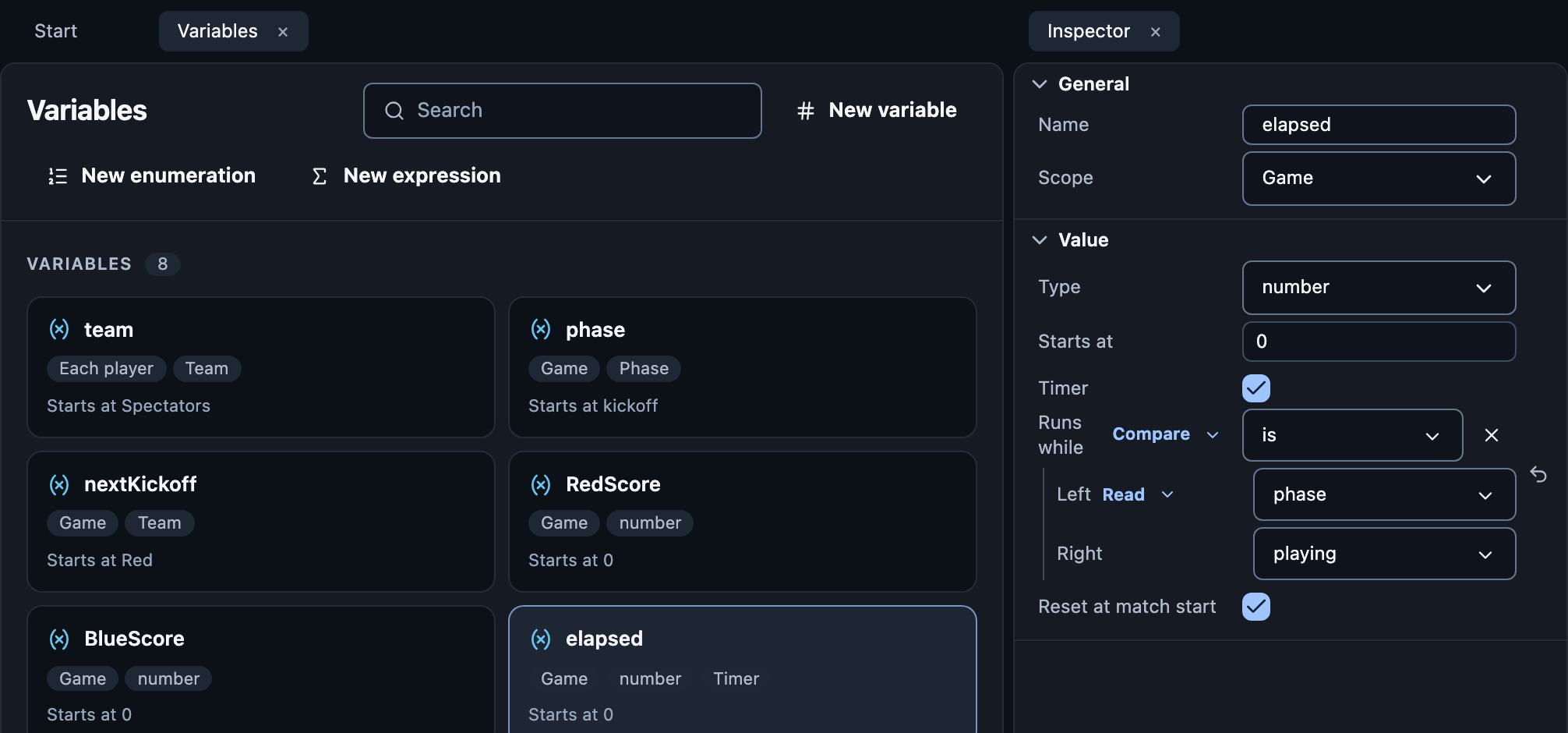
Make one
Open Variables and press New variable.
Name it, and pick its Type and Scope.
| Scope | One value for | Read it as |
|---|---|---|
| Game | the whole game | score |
| Each player | every player | player.score |
| Each object | every object | ball.hits |
Starts at: its first value.
Reset at match start: turn off for settings that should stay, like a score limit.
Timer: counts seconds by itself, while a condition holds or when rows start it.
Enumerations
A short list of named values, like teams (Red, Blue) or phases
(kickoff, playing).
Expressions
A formula with a name, such as HasWinner, used anywhere a value fits.
You never type formulas. You build them from blocks:
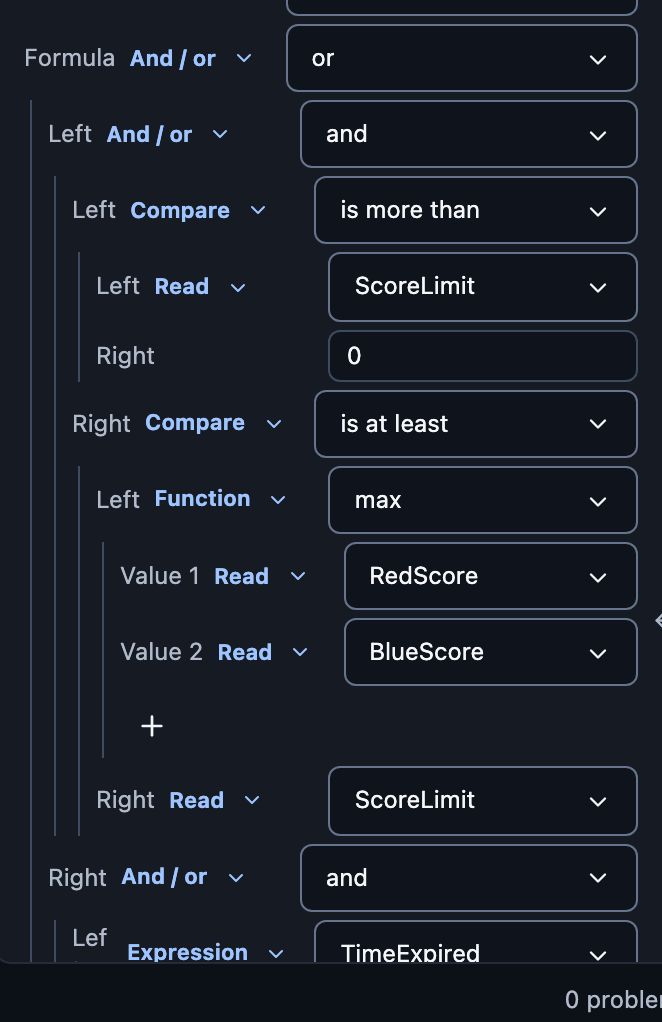
| Block | Gives |
|---|---|
| Value | A number, text, colour, point, yes or no |
| Read | A variable, a player, a line, a property |
| Math, Compare | Two values joined: plus, is at least… |
| And / or, Not | Conditions combined |
| Choose | One value when something holds, else another |
| Function | max, distance and friends |
| Count | How many players, instances… |
Each slot only offers blocks that fit it.
Nothing and angles
Nothing spreads. A block that reads something missing, such as a destroyed ball's speed, gives nothing. Maths, text and comparisons with nothing give nothing, so a visual bound to it isn't shown and a condition counts as false.
oris true when either side is, andandfalse when either side is.Otherwise gives a value in place of nothing: otherwise(Ball's speed, 0).
Is empty asks the question directly: winner = empty.
Angles are in degrees everywhere in Studio: rotations, arcs, and the
sin,cos,atan2,angleOfandfromAnglefunctions.
Live values
While Play runs, select a variable to see its value right now.